
AI YouTube Thumbnail Maker
Create gaming thumbnails with the real five-step Studio flow: choose YouTube, select a content format and game, personalize your text and optional reference, then review and generate.
Your thumbnail is the single biggest factor in whether someone clicks your gaming video. Before anyone reads your title or watches a second of footage, they judge the cover image — and on a crowded YouTube gaming feed you have a fraction of a second to win that click. This AI gaming thumbnail maker helps you produce scroll-stopping, high-contrast thumbnails without opening Photoshop or hiring a designer.
Pick a proven content format, choose your game, enter a required headline and optional subtitle, then decide whether you want no reference, a PNG or JPG upload, or one of your eligible saved designs. The generator delivers a 1280 x 720 PNG tuned for click-through, with the selected format shaping victories, boss fights, rage moments, tier lists, update videos, and more.
Why Creators Use Our Thumbnail Maker
Guided 5-Step Studio Flow
Choose YouTube, select a content format and game, personalize the thumbnail, then review and generate.
YouTube-Ready PNG
Every finished thumbnail is delivered as a standard 1280 x 720, 16:9 PNG ready for a YouTube upload.
25 Gaming Content Formats
Choose the composition that fits your video, from Epic Victory and Boss Battle to Tier List and Funny Fail.
Game or Generic Direction
Select one of 19 supported games, or choose the generic option when your video is not tied to a specific title.
Flexible Personalization
Enter a required title, add an optional subtitle, and use no reference, an uploaded image, or one of My Designs.
Generate, Refine, and Download
Review your choices, generate the thumbnail, optionally refine it, create another variation, or download the PNG.
How to Make a Gaming Thumbnail in 5 Steps
These are the same five steps you will see after opening the Studio thumbnail tool — no hidden setup and no separate legacy builder.
1. Choose your platform
Select YouTube, the platform currently available in the thumbnail Studio. This sets the project to a 1280 x 720, 16:9 thumbnail canvas.
2. Choose your content format
Pick one of the 25 real gaming formats. The selected format controls the main composition, visual hierarchy, and story of the thumbnail.
3. Choose your game
Choose one of 19 supported games to guide the world, characters, and mood, or select No specific game / generic for an original gaming look.
4. Personalize your thumbnail
Enter a thumbnail title, add an optional subtitle, and decide whether to generate without a reference, upload a PNG or JPG, or use an eligible saved design.
5. Review and generate
Confirm the platform, format, game, text, reference choice, output, and credit cost. Generate the PNG, then optionally regenerate, refine, download, or start over.
Choose YouTube, Then Choose Your Game
YouTube is currently the only platform available in this Studio tool. In Step 3, choose a recognizable game identity or select No specific game / generic when the video needs a flexible original gaming look. The selected game supplies the world and visual direction while your chosen content format controls the layout and story.
- No specific game / generic
- Fortnite
- Minecraft
- Call of Duty
- Free Fire
- Valorant
- Apex Legends
- Roblox
- GTA
- Elden Ring
- The Legend of Zelda
- Counter-Strike 2
- Five Nights at Freddy's
- League of Legends
- Mortal Kombat
- Overwatch 2
- Red Dead Redemption 2
- Pokémon
- Cyberpunk 2077
- PUBG
Popular Gaming Thumbnail Formats
The maker ships with 25 ready-to-use gaming thumbnail formats, grouped by the job you need the thumbnail to do. Each one sets the composition, mood, and text placement, so you can focus on your video instead of the design.
Win & Progression
Show results, clutch plays, upgrades, and measurable progress.
- Epic VictoryWins, clutch moments and tournaments
- Rank ProgressionRank climbs, road-to-glory and improvement
- Before & AfterTransformations, upgrades and dramatic changes
- Stats ProofRecords, scores and data-backed achievements
Challenge & High Stakes
Build urgency around difficult attempts, timers, and major encounters.
- Impossible ChallengeHigh-stakes attempts against overwhelming odds
- Challenge CountdownTimed challenges, endurance and urgent stakes
- Boss BattleMassive enemies and cinematic confrontations
- Warning / BrokenUrgent warnings, bans and broken mechanics
Reaction & Comedy
Lead with expressive faces, frustration, or an unexpected funny moment.
- Reaction FaceExpressive face-cam reactions and big moments
- Rage MomentTilt, frustration and comedic anger
- Funny FailUnexpected blunders and hilarious accidents
Comparison & Ranking
Compare opponents, rank choices, or organize a countdown clearly.
- VS BattleHead-to-head players, items or strategies
- Tier ListRank characters, items and strategies by tier
- Top 10 GridNumbered rankings and listicle countdowns
Reveal & Curiosity
Direct attention toward secrets, updates, items, and unanswered questions.
- Secret DiscoveryHidden locations, easter eggs and discoveries
- Item RevealRare skins, weapons, loot and unlocks
- New UpdateUpdates, new seasons and fresh content
- Big Arrow RevealPoint viewers toward a surprising discovery
- Highlight CircleDraw attention to one crucial hidden detail
- Question HookCreate curiosity with an irresistible question
Number Hooks & Showcase
Showcase a big number, loadout, team, story, or stream highlight.
- Money / Number HookLead with a huge number, prize or milestone
- Best LoadoutMeta builds, weapons and winning setups
- Cinematic StoryAtmospheric stories with movie-poster drama
- Squad LineupTeams, crews and powerful group poses
- Stream HighlightsBest live moments and highlight reels
Real Content Format Preview Examples
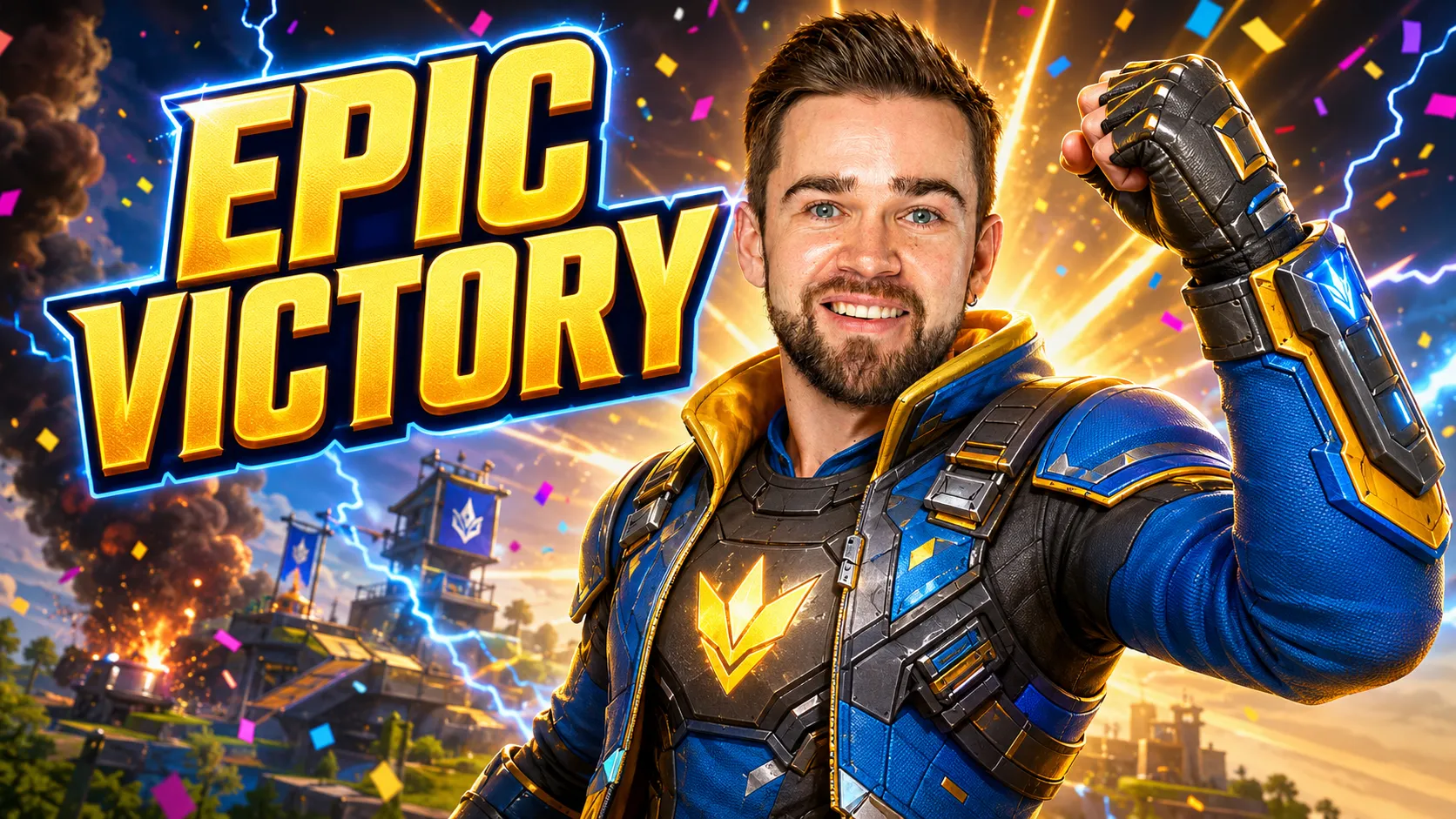
Epic Victory
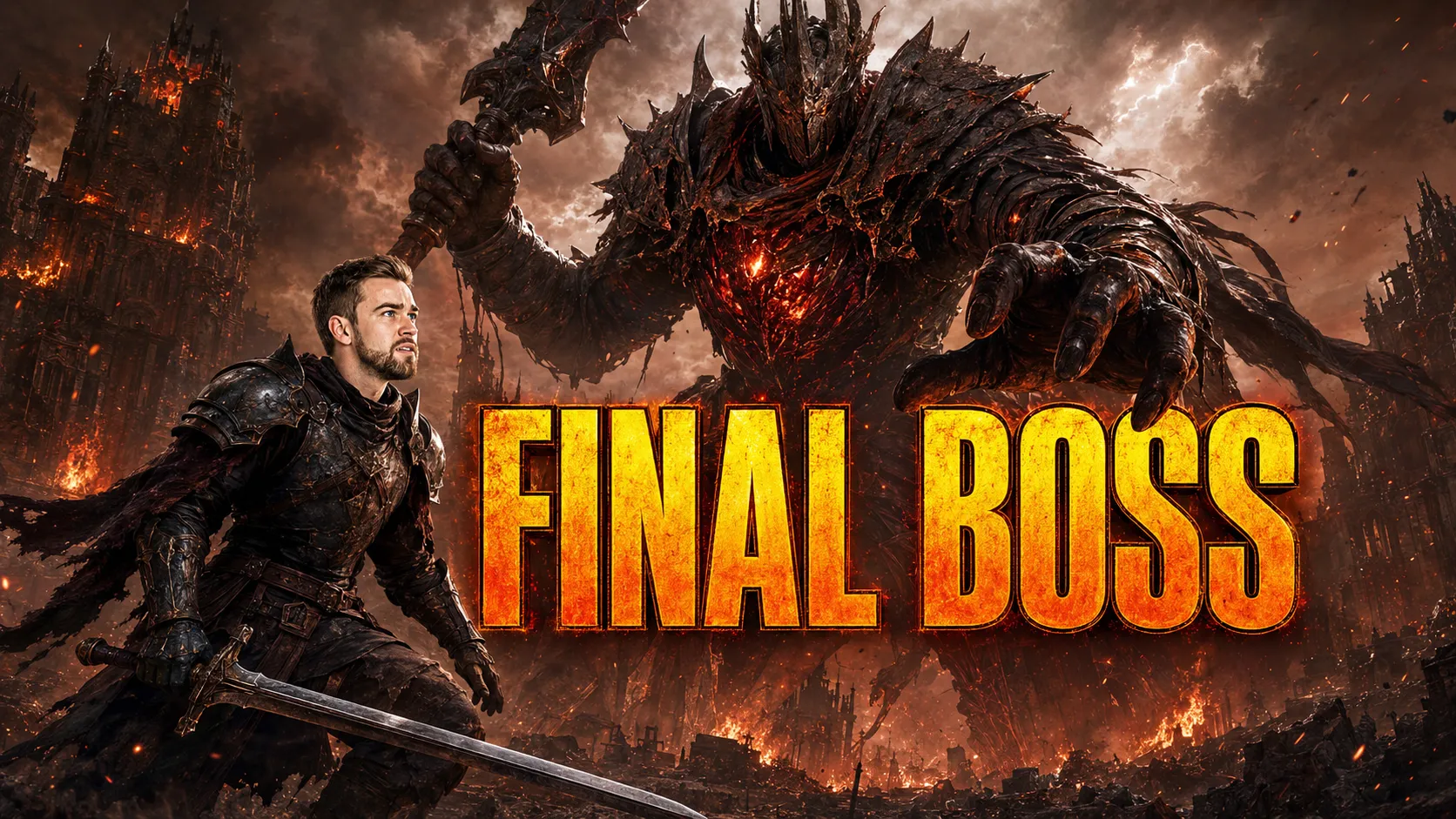
Boss Battle
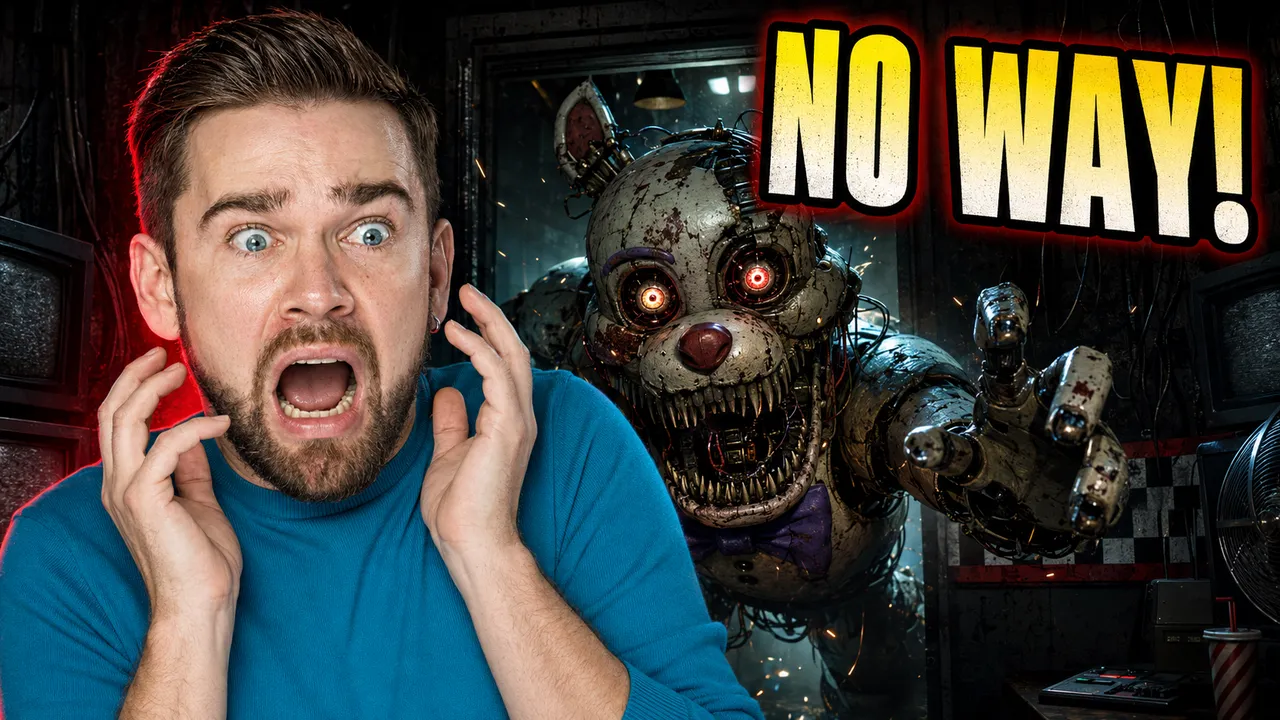
Reaction Face
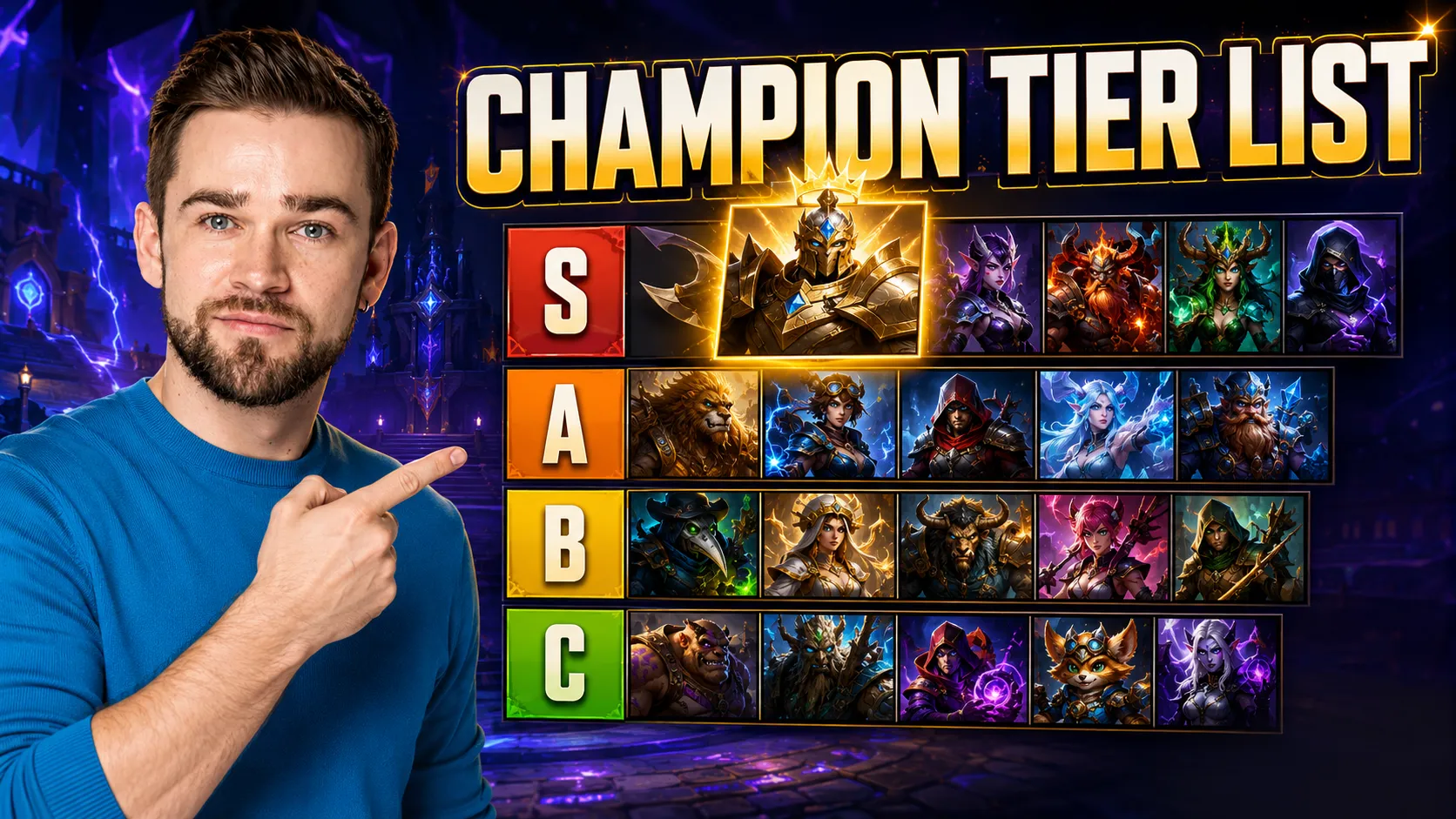
Tier List
Where to Use Your Gaming Thumbnails
One thumbnail can carry across every place your audience finds you.
YouTube gaming videos
The main event — a bold 1280 x 720 cover that stands out in the subscriptions feed and search results.
Tutorials, challenges & rankings
Use the 16:9 PNG for guides, challenge runs, updates, comparisons, and ranked-list videos on YouTube.
Stream highlights & VOD uploads
Turn your best live moments into landscape covers when you publish stream highlights or VOD recordings to YouTube.
Community & social posts
Post the thumbnail to the Community tab, Discord, or X to tease a video before it goes live.
Tips for Click-Worthy Gaming Thumbnails
A few habits that separate thumbnails that get scrolled past from the ones that get clicked.
Lead with one focal point
One character, item, or reaction should own the frame. Competing subjects make a thumbnail read as clutter at feed size.
Use high-contrast color
Bright subjects against dark or complementary backgrounds pop on both light and dark YouTube themes.
Show a face or clear subject
Expressive faces and recognizable characters earn clicks — reaction and squad formats lean into this on purpose.
Keep text short and huge
Three to four punchy words, sized to stay readable on a phone. Let the format's big-text layout do the work.
Design for the small preview
Most viewers see your thumbnail at postage-stamp size. If it still reads when tiny, it works everywhere.
Match the real moment
The thumbnail should promise what the video delivers. When useful, add an optional reference image or saved design to guide the subject and visual direction.
Frequently Asked Questions
What is this thumbnail maker for?
It is built for YouTube gaming thumbnails and follows the same five-step Studio flow every time: choose YouTube, choose a content format, choose a game, personalize the thumbnail, then review and generate.
Is the gaming thumbnail maker free?
You can start for free with a signup credit, then top up with affordable credit packs when you want to generate and download more thumbnails. There is no subscription required to try it.
What games does it work with?
The game selector currently includes Fortnite, Minecraft, Call of Duty, Free Fire, Valorant, Apex Legends, Roblox, GTA, Elden Ring, The Legend of Zelda, Counter-Strike 2, Five Nights at Freddy's, League of Legends, Mortal Kombat, Overwatch 2, Red Dead Redemption 2, Pokémon, Cyberpunk 2077, PUBG. You can also choose No specific game / generic for a thumbnail without a named franchise.
How many thumbnail formats are there?
There are 25 gaming thumbnail formats covering victory, challenge, reaction, comparison, reveal, and number-hook styles — from Epic Victory and Boss Battle to Tier List, VS Battle, and Money / Number Hook.
What size does the tool use?
The thumbnail generator delivers a 1280 x 720 PNG in the standard 16:9 YouTube thumbnail aspect ratio.
Can I upload my own image?
Yes. The optional reference choices are No reference, Upload image, or My Designs. Device uploads accept PNG or JPG files up to 5 MB and are used as AI visual guidance rather than pasted directly into the result.
Can I change the title text?
Yes. The title is required and can contain up to 70 characters. You can also add an optional subtitle of up to 50 characters, then return to Personalize before generating another variation if you want to change either field.
Do I need design skills?
No. Each format sets the composition, mood, and text placement for you, so you get a click-ready gaming thumbnail without opening a design tool or hiring a designer.
Can I regenerate the same setup?
Yes. After generating in Step 5, you can create another variation from the same format, game, title, subtitle, and reference choice. You can also submit an optional refinement request or reset to the original result.